Mechanical keyboards collect dust, crumbs, and skin oils faster than almost any other device on your desk. Regular cleaning keeps your switches functioning smoothly and extends the life of your keyboard. Here's how to do it properly.
What You'll Need
- An electric air duster or compressed air
- A keycap puller
- A soft bristle brush
- Microfiber cloth
- Isopropyl alcohol (70% or higher)
- Cotton swabs
Step 1: Quick Surface Clean
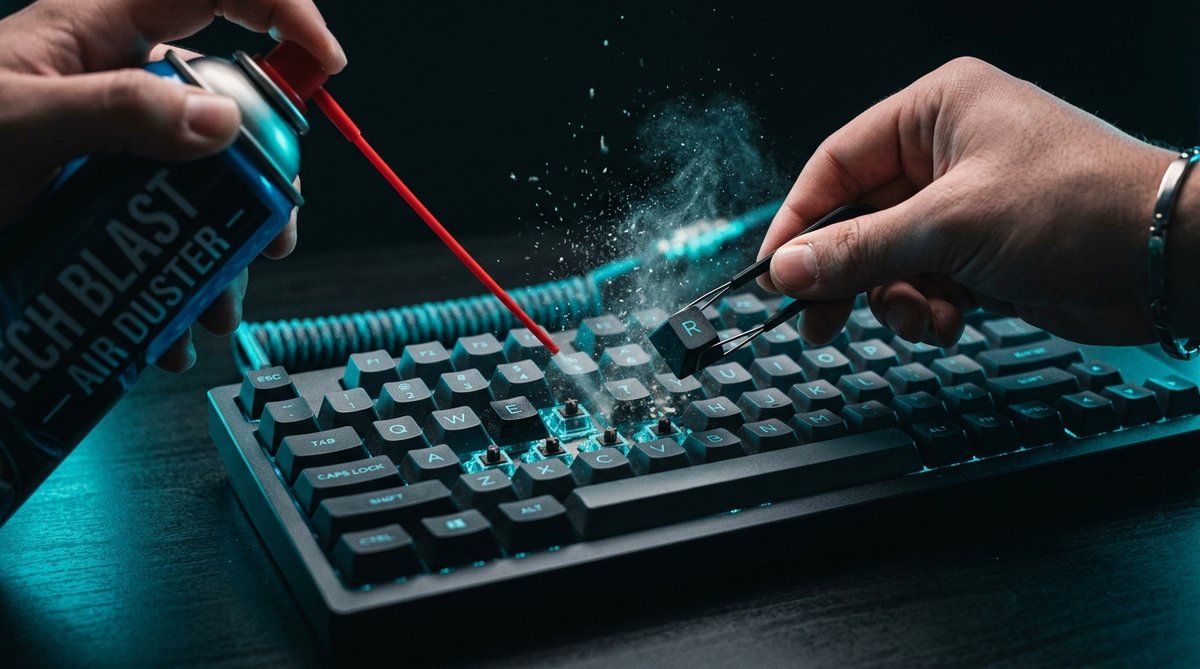
Before removing any keycaps, use your air duster on the lowest speed setting to blow loose dust and debris from between the keys. Hold the keyboard at an angle so debris falls out rather than getting pushed deeper. Use short bursts rather than continuous airflow.
Step 2: Remove Keycaps
Use a wire keycap puller to remove keycaps gently. Start with the larger keys (spacebar, shift, enter) and work outward. Place keycaps in a bowl of warm water with a small amount of dish soap. Let them soak for 15-20 minutes.
Be careful with stabilizer keys — these have additional wires and clips. Take a photo of your keyboard before removing keycaps so you know where everything goes.
Step 3: Clean the Switch Plate
With keycaps removed, you'll see the switch plate and PCB. Use your air duster on a medium setting to blow dust from around each switch. Use a soft brush to dislodge stubborn dust from corners and between switches.
If you see any sticky residue, dampen a cotton swab with isopropyl alcohol and gently clean the affected area. Avoid getting liquid inside the switches themselves.
Step 4: Clean the Keycaps
After soaking, rinse keycaps with clean water and dry them thoroughly with a microfiber cloth. Let them air dry for at least 30 minutes before reinstallation. Make sure there's no moisture inside the keycap stems.
Step 5: Clean the Keyboard Frame
Wipe down the keyboard frame with a microfiber cloth lightly dampened with isopropyl alcohol. This removes oils and grime from the surface. Pay attention to the areas where your wrists rest, as these accumulate the most oils.
Step 6: Reassemble
Once everything is completely dry, reinstall the keycaps. Press each cap firmly until it clicks into place. Reconnect your keyboard and test each key to make sure everything is working.
How Often Should You Clean?
For daily-use keyboards, a quick air dusting once a week and a full deep clean every 2-3 months is ideal. If you eat near your keyboard or have pets, you may need to clean more frequently.
Conclusion
Cleaning a mechanical keyboard doesn't require expensive tools or professional service. With an air duster, keycap puller, and some patience, you can keep your keyboard in excellent condition for years.